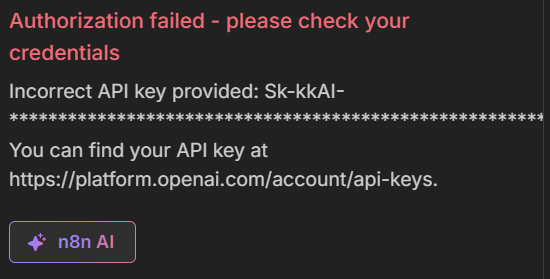
I’ll admit that your graphic really does not tell us what you’re doing, so we can’t tell you why you’re getting an error
Which lab are you doing in the n8n course? A lab link might help.
If you’re running an execution in n8n, can we see an image of what you’re doing?
In general, if you’re using a KodeKey, then you’re:
selecting a model in the drop down.
You copy the base URL as displayed in KodeKey
You copy the API key
For the model name, you paste in the text used in the “Quick Start” section below in the page (curl/nodejs/python), which is a string like “openai/gpt-4o-2024-11-20”. In the n8n UI, it’s an “expression”, not what you see in the drop down.
i had the same issue in first task of AI. basically it was because the key Sk-kkAI-*** works on a company proxy (also with a base api) and i tried to treat it as a standard api. i’m not sure if this is relevant to your problem but you might wanna check that