Hello Team,
I am working on the Azure Web App lab where I need to create:
- App Service Plan: xfusion-learn-python
- SKU: Basic B1
- Region: East US
- Web App: xfusion-webapp
The task cannot be completed because Azure is refusing to create any App Service Plan.
CLI error:
Operation cannot be completed without additional quota.
Additional details:
Current Limit (Total VMs): 0
Current Usage: 0
Amount required for this deployment (Total VMs): 1
I also tested with the Free (F1) SKU and received the same error.
Verification performed:
- Confirmed East US supports App Service Plans.
- Confirmed resource group exists.
- Confirmed no App Service Plans exist in the subscription.
- Portal deployment fails with the same quota error.
- CLI deployment fails with the same quota error.
Commands tested:
az appservice plan create
–name xfusion-learn-python
–resource-group
–location eastus
–sku B1
–is-linux
az appservice plan create
–name testplan
–resource-group
–location eastus
–sku F1
–is-linux
Could someone please verify whether the lab subscription quota is configured correctly or if the lab environment needs to be refreshed?
Thank you.
I did this task successfully using the console. It should work with the CLI as well. Possibilities:
- eastus has transient problems; when you do the task again, it would likely be in a different (and more available) region.
- Something else – seeing the actual text of the error would help diagnose this.
Hi Rob,
I retried the exact same lab in a fresh environment and am seeing the same error.
Resource Group:
kml_rg_main-4f531a0cadb24177
Command:
az appservice plan create
–name nautilus-learn-python
–resource-group “$RG”
–location eastus
–sku B1
–is-linux
Error:
Operation cannot be completed without additional quota.
Current Limit (Total VMs): 0
Current Usage: 0
Amount required for this deployment (Total VMs): 1
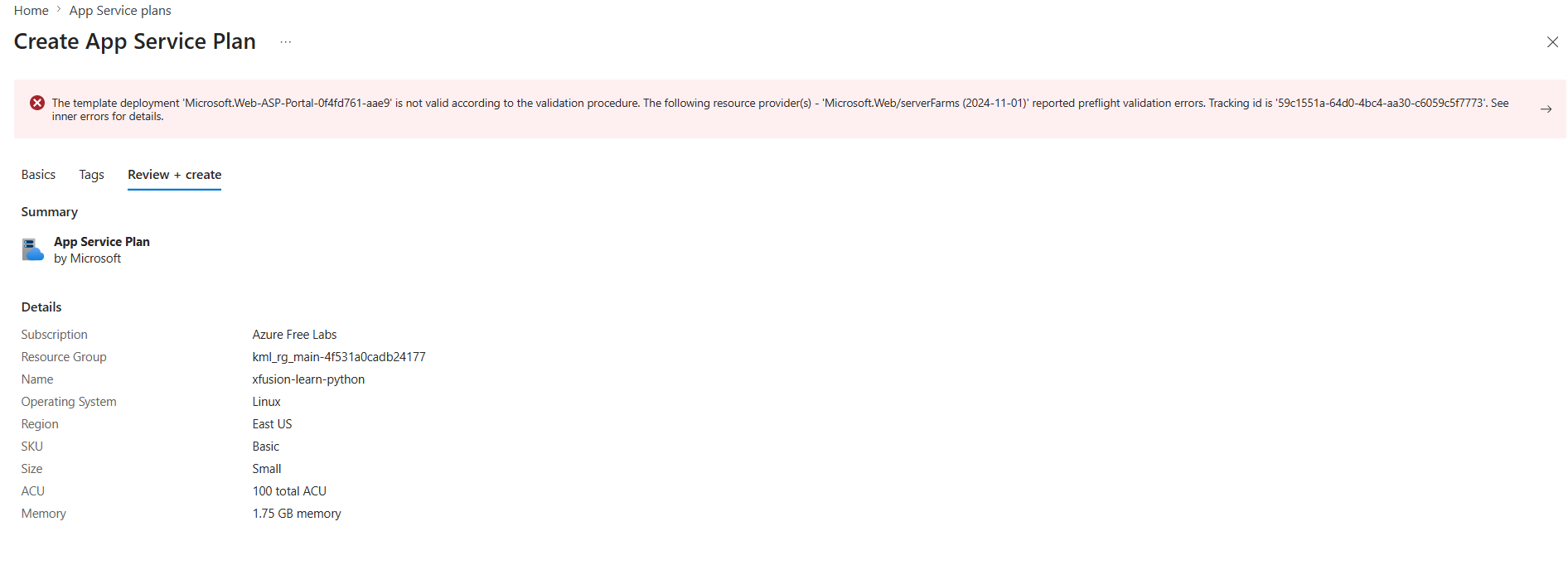
This is the second separate lab subscription where I’ve seen the same quota error. I have also tested via the Azure Portal and below is the results.
ERROR VIEW
Thanks.
This sounds like the former issue I saw – that eastus is overquota for this service. This happens, and we have minimal control over when it does. MS limits access to some services to some regions on an unpredictable basis.
Just try the lab again and wait to be assigned to some region other than eastus; we assign to regions randomly, and usually, it’s not to eastus on this type of lab. This should deal with the issue.