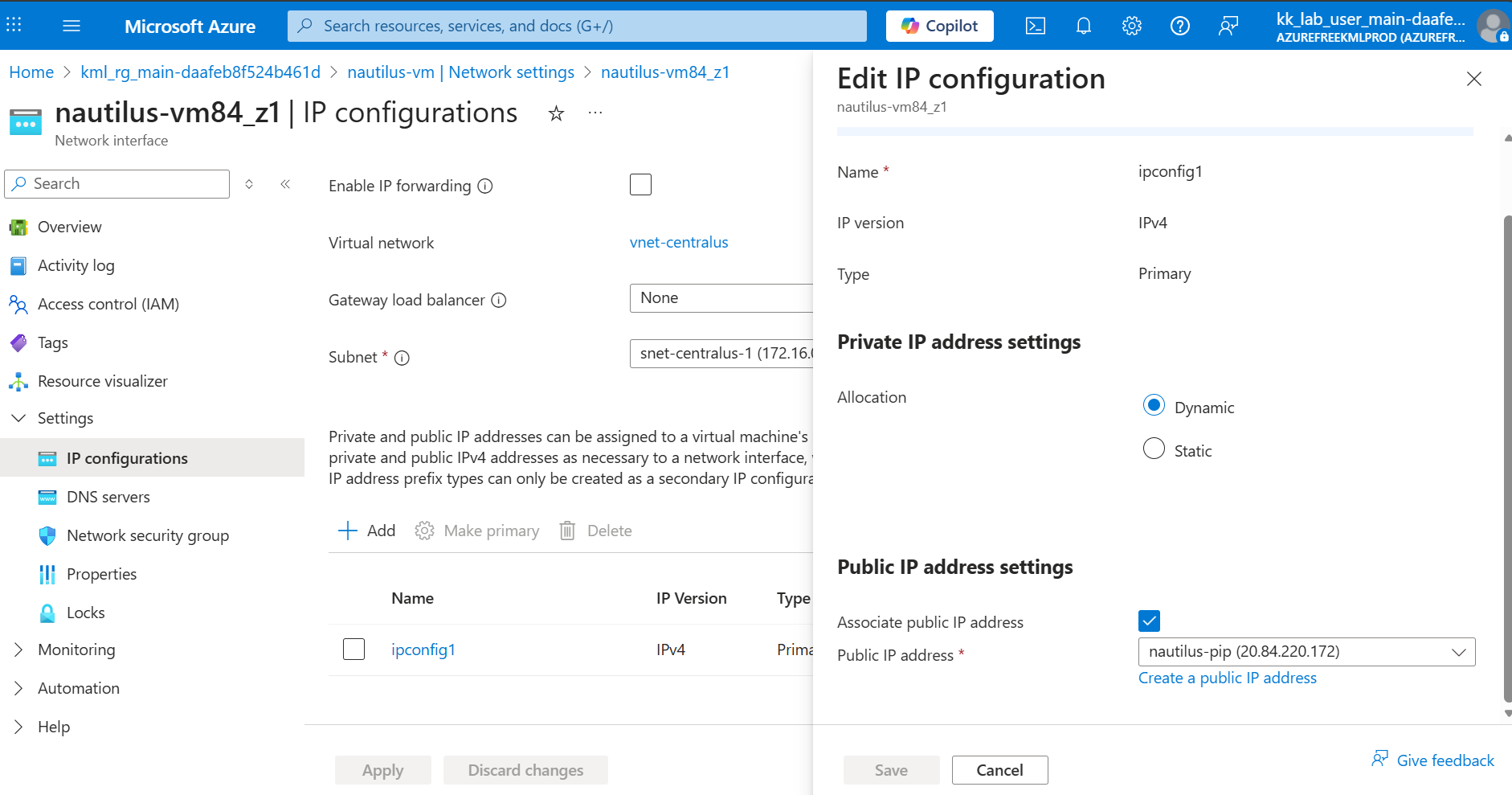
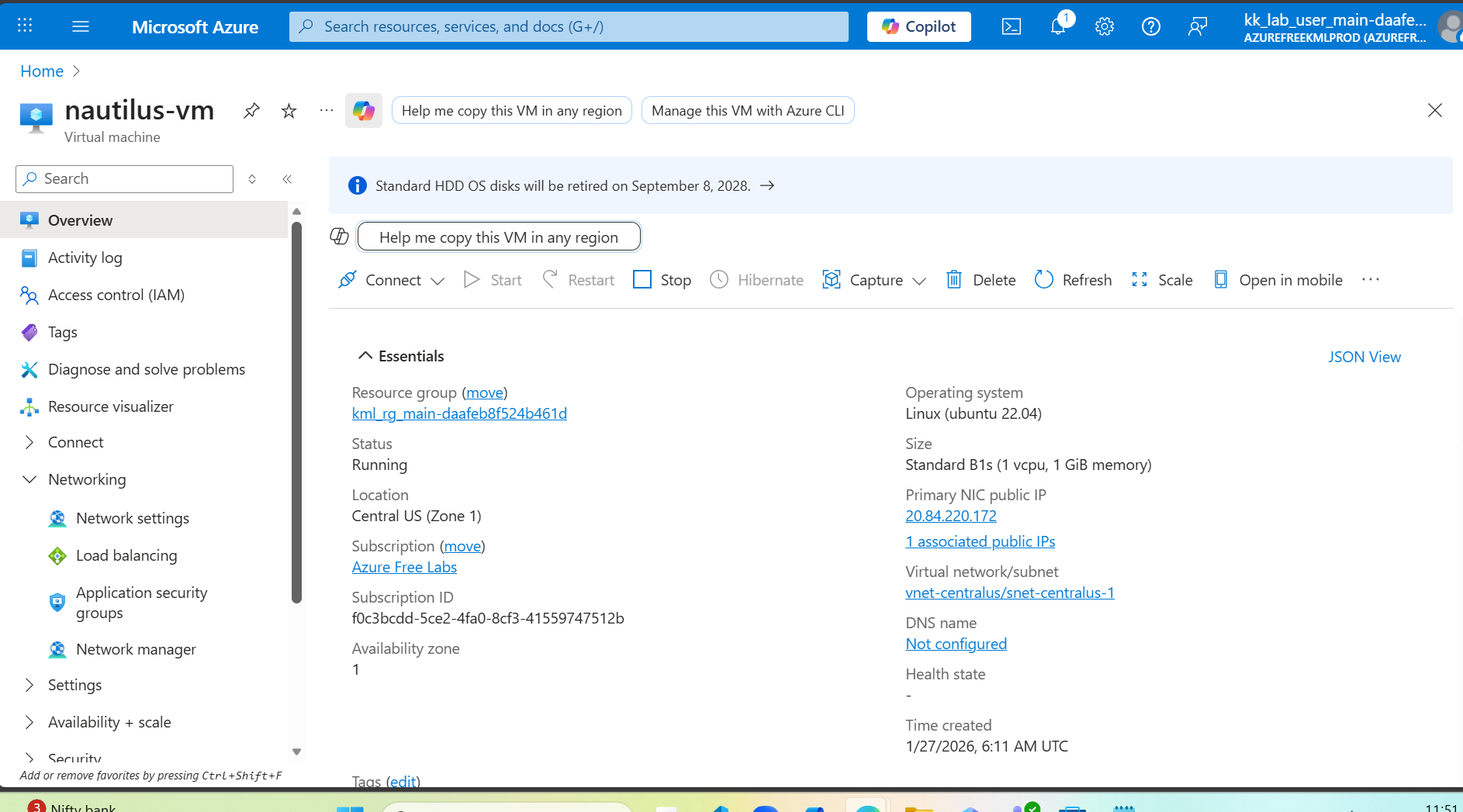
~ ➜ cat /root/.ssh/nautilus_vm_key.pub
ssh-rsa AAAAB3NzaC1yc2EAAAADAQABAAACAQDIsDFvuSHZ/ktSLODr+tDUtdNfTcTBvQYtY/TmSAhKz4f/ddEg6wLp6IpmHF3oMMb/XrkMFDN/wkFr3KD+ycUQxs9k34sjjrVSiHci5hpB3Zh73uCj7ohfQtEeLcLs+6WTJirm57QmlGJ8vhLviYcz3vmdEK+2zH9hHJqWj6w2UaHrpXQeehLy1fygEm15u/Yv7q4GROhMOJqscYoy6/A9+4Ne9igRXvh4OurlB6qzZKUoP3pPUWSvQP5WCpPeDeC34OjAt8Zk5qZihqHv7vwRvcdSEjbSJsdKJMyNM5U7fhlkzmyBVk5auTzGFHXhk6aV1F0eeHwiAEVHyxquJGIeqDSNtDFnreAqfHigK6DrML/zGuGa01KjDu63/JzMY4LogzTqGtvDIQersPvSV8i7XuhRu3slYrQbUdhVA04K52Ph365kQJQTgNVO4gZR5kUsJXjqku7SVvZ94uYU7cuWp1PfKFsR084sSnnzVYTRFXeAL0xhIyriIwHFH/Z+S+D1R2HCDTVkTQoDC0DFwmROgj56YxD6g+WFO9prgNfSkJAK5+fKNrfVv3BMK5JpqFfCdsGmt2sO4W5lPf9Fb7Q95/GGdrGiWfO/4XgaG+33I19vymQgCig4GZV6nc+JCbE0TRbMUv8JZfJewhr/0DfOae7zjILNFDglccGEzIKRpQ== root@azure-client
~ ➜ az network public-ip show
–resource-group kml_rg_main-daafeb8f524b461d
–name nautilus-pip
–query ipAddress
–output tsv
20.84.220.172
~ ➜ ssh -i /root/.ssh/nautilus_vm_key azureuser@20.84.220.172
The authenticity of host ‘20.84.220.172 (20.84.220.172)’ can’t be established.
ECDSA key fingerprint is SHA256:GObUr0RUbt9PBouhEbg01rKgImTOKGjXzx9ofPleqtc.
Are you sure you want to continue connecting (yes/no/[fingerprint])? yes
Warning: Permanently added ‘20.84.220.172’ (ECDSA) to the list of known hosts.
Welcome to Ubuntu 22.04.5 LTS (GNU/Linux 6.8.0-1044-azure x86_64)
- Documentation: https://help.ubuntu.com
- Management: https://landscape.canonical.com
- Support: Ubuntu Pro | Ubuntu
System information as of Tue Jan 27 06:14:09 UTC 2026
System load: 0.21 Processes: 107
Usage of /: 5.5% of 28.89GB Users logged in: 0
Memory usage: 30% IPv4 address for eth0: 172.16.0.4
Swap usage: 0%
Expanded Security Maintenance for Applications is not enabled.
0 updates can be applied immediately.
Enable ESM Apps to receive additional future security updates.
See Ubuntu Expanded Security Maintenance | Security | Ubuntu or run: sudo pro status
The list of available updates is more than a week old.
To check for new updates run: sudo apt update
The programs included with the Ubuntu system are free software;
the exact distribution terms for each program are described in the
individual files in /usr/share/doc/*/copyright.
Ubuntu comes with ABSOLUTELY NO WARRANTY, to the extent permitted by
applicable law.
To run a command as administrator (user “root”), use “sudo ”.
See “man sudo_root” for details.