After successful completion of the the task for Day 22, the ec2 instance login to ‘nautilus-ec2’ was successful from aws-client, however it shows task failed.
Hi @jasheep
Please refer to the solution here kodekloud-engineer/100_Days_of_Cloud-AWS/Day22.md at main · Srikanth0824/kodekloud-engineer · GitHub
see the video for solution
Hi @raymond.baoly , Thank you for reaching out to me.
I tried following the referred solution, however at the end:
Step 11: Test if you are able to login to the VM as root user
From aws-client host
ssh root@$PUBLIC_IP
Gives the following error:
Please login as the user “ec2-user” rather than the user “root”.
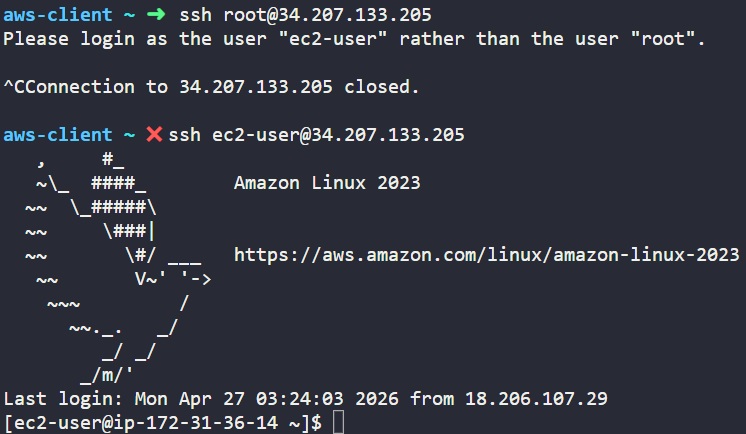
The reason you see this is that there’s extra code in the file /root/.ssh/authorized_keys that prints that out and exits. So you need to edit that file and remove that code  But that’s why you see this. Best is to empty out that file before you append the public key you were asked to add.
Thank you! Will try this option.