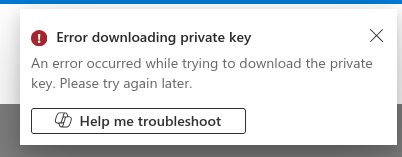
Day 2 Azure: I do everything right but somehow i get this error. Please help
Day 2 Azure: I do everything right but somehow i get this error. Please help
Ensure you are creating the VM in the correct region.
Try following the solution recorded here and see if it helps.
Did you find any solution for this? I am also having the same issue.
For me as well. it shows the same error. I have followed the same process as per your solution by changing the required region. Still getting the same error.
Microsoft’s docs say this about this error:
When creating a Linux VM in the Azure Portal, you only get one opportunity to download the private key. If the browser download fails, blocked by a pop-up blocker, or the window closed prematurely, you cannot download that specific key again . [1]
In any case, you’re only getting this error because you are trying to download a key. THIS IS NOT WHAT YOU WANT TO DO. You want to upload the public key that you create locally in the azure client terminal of the lab. So you’re very definitely creating the key incorrectly for what the lab requires. As Santosh suggested – please read the solution he cites, which will explain what you should do.