Please show us the screenshot of /etc/exports file
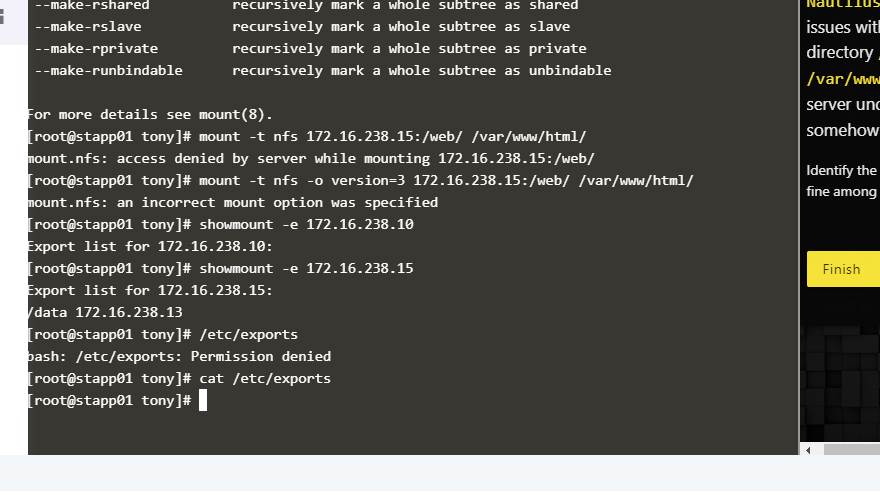
I think you need to be on Storage Server. You’re showing App 1
I recommend reading this resource to help you complete the task.
This website has been a big help in completing most of the tasks.
1 Like
thankyou for your support
You’re welcome! 
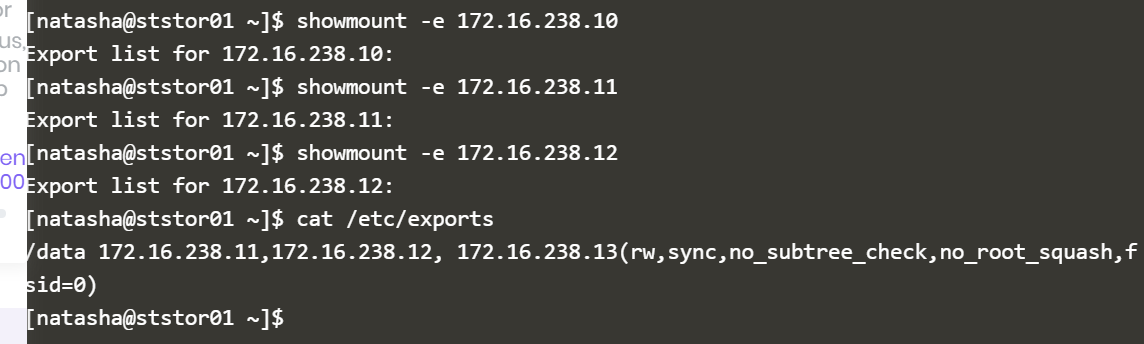
I am trying to verify below step for my requirement of the assignement.
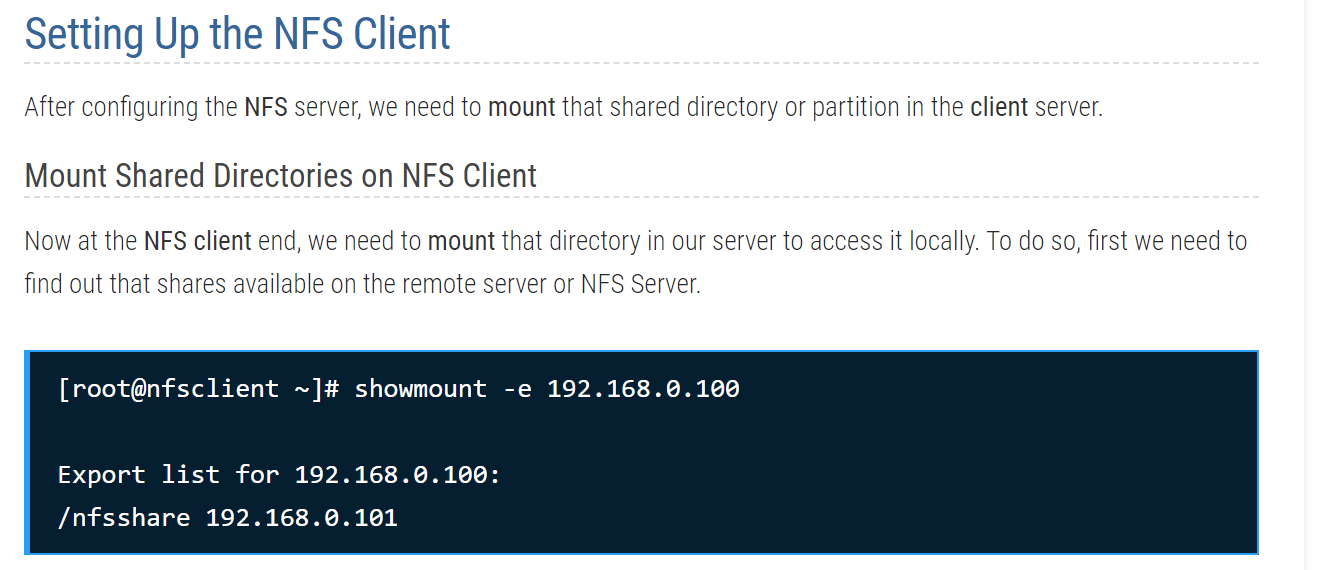
I don’t see /nfsshare details in mycase.
also, running this command gives me an error.

1 Like
nfsshare was only an example in the tutorial.
In your case it will be sudo mount -t nfs 172.16.238.15:/app /var/www/html
Please read the requirements carefully.
Another thing to note, make sure you are performing these commands on the client side (stapp01,02,03) not on the (server side ststor01).
1 Like

Make sure you have added the correct entries in /ect/exports file for each app server Client on the Server side (ststor01)
/ect/exports
 /code 172.16.238.10(<nfs options>)
 /code 172.16.238.11(<nfs options>)
 /code 172.16.238.12(<nfs options>)
@JDev
on storageserver, I have updated the file /etc/exports
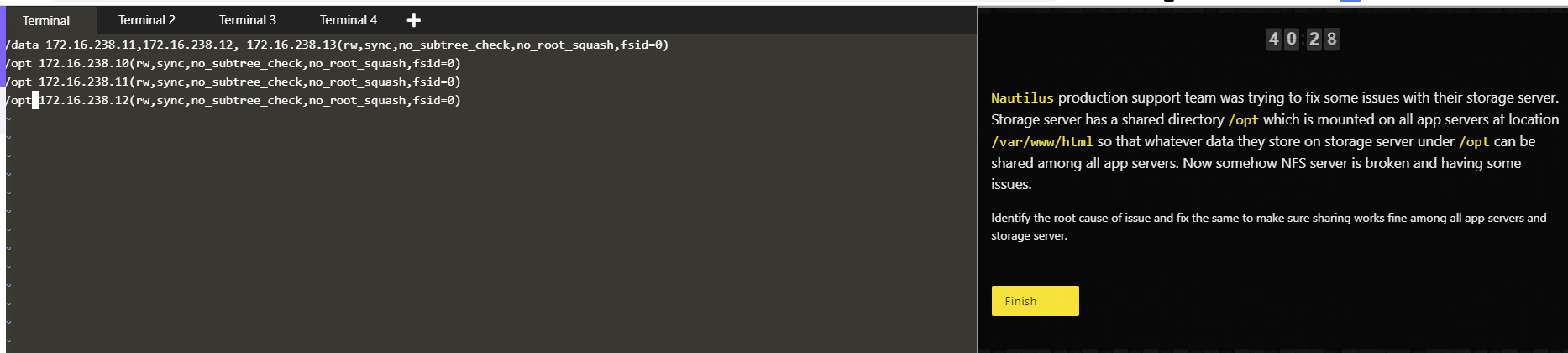
I have updated options as below on /etc/exports file on storage server.
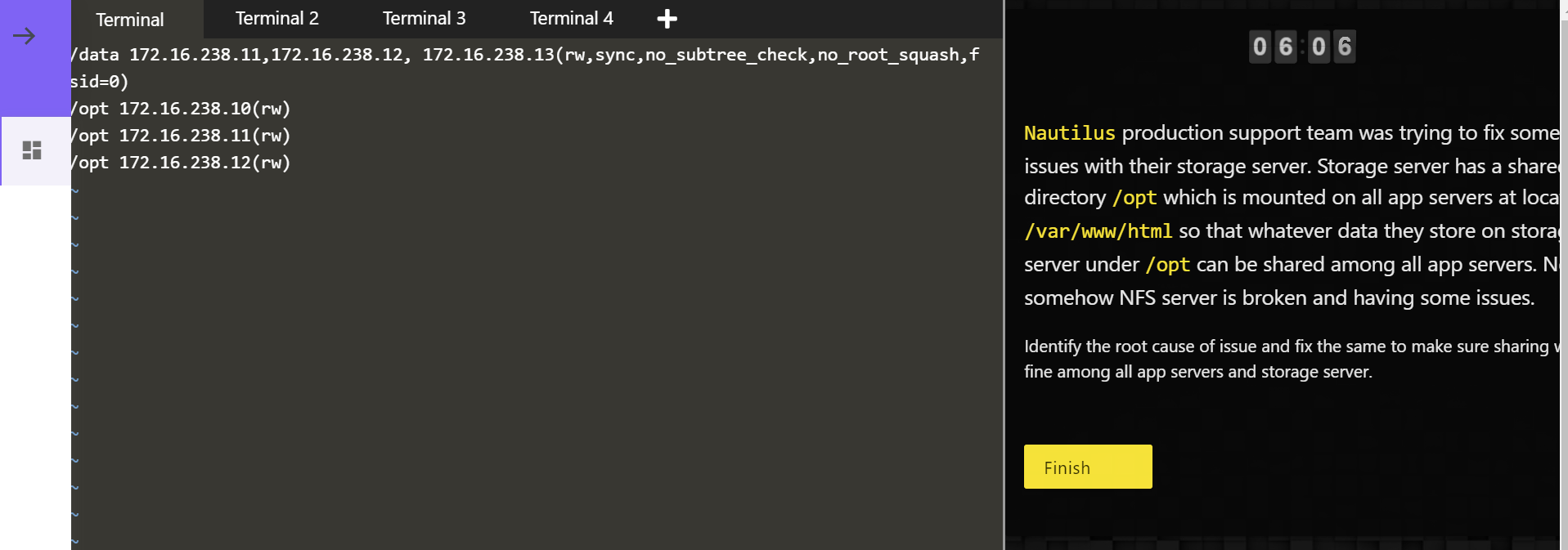
@JDev
@Inderpreet
@vijin.palazhi
@rahulsoni

why is it I am getting access denied? while running the above command as tony?
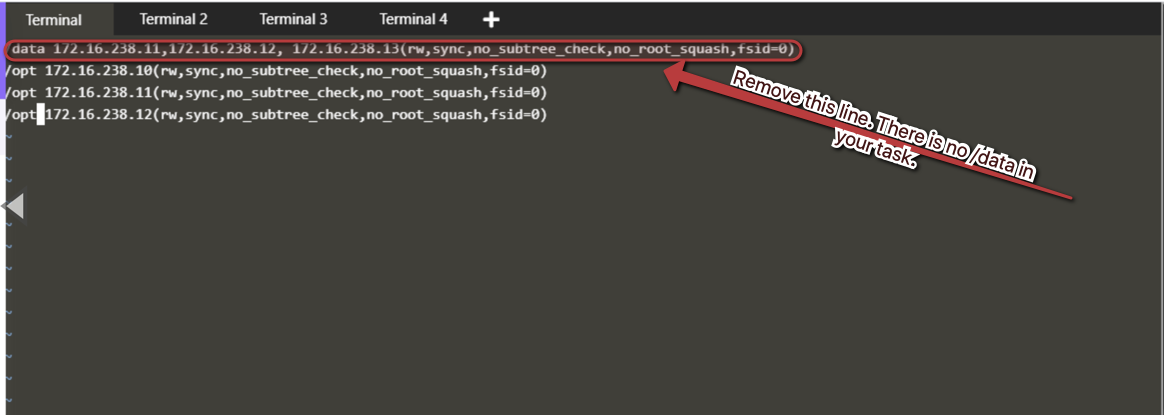
I think you should remove entries for /data and also make sure to run all required services and exportfs (look for exact syntx) command to reflect these changes.
suppose if I delete the /data line from /etc/exports on storage server and update.
as below.
/webapp 172.16.238.10(rw,sync)
/webapp 172.16.238.11(rw,sync)
/webapp 172.16.238.12(rw,sync)
on running showmount -e app1,2,3 IP Address.
I am seeing results as below.
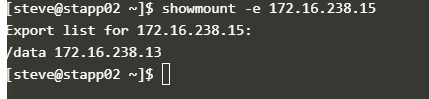
Is this expected?
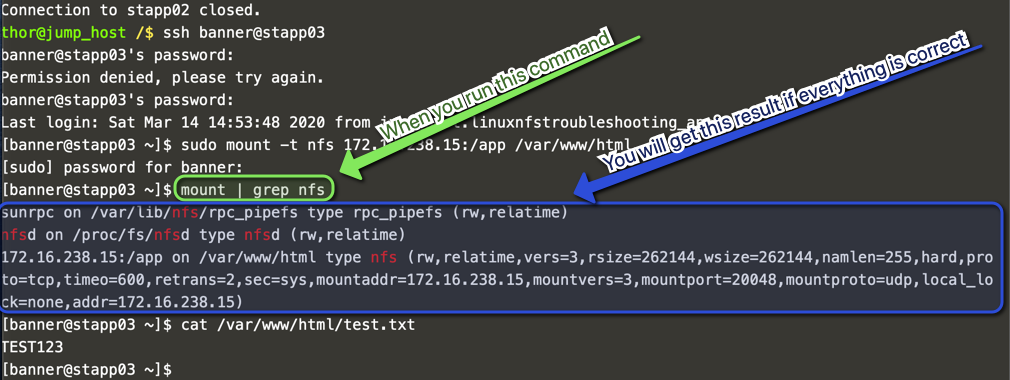
Hi @Inderpreet
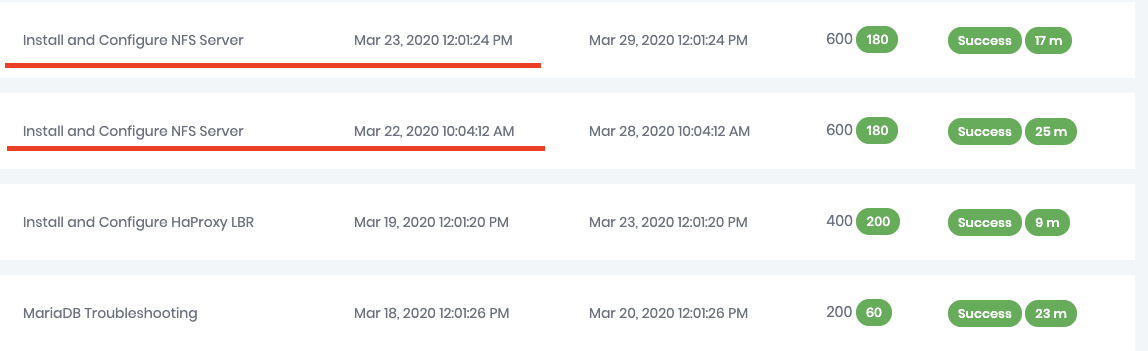
I did the NFS lab the first time and I passed it , today I get a new task with the same title (configure and install NFS) I thought was different instead same lab.
At the end of the lab I got session expired but looks like it counted the lab successfully.
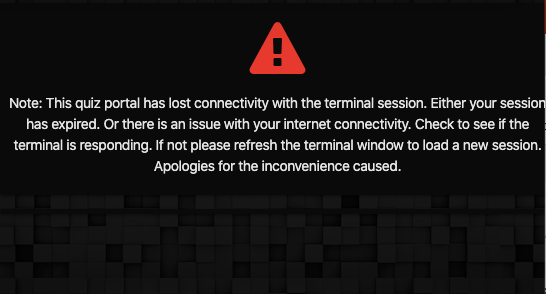
To me looks like a loop all the time that I do the NFS lab I get the lost connectivity issue and the sam e task has assigned to me again.
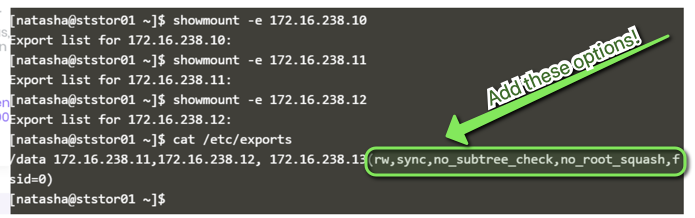
while I am verifying my results against this artcile.
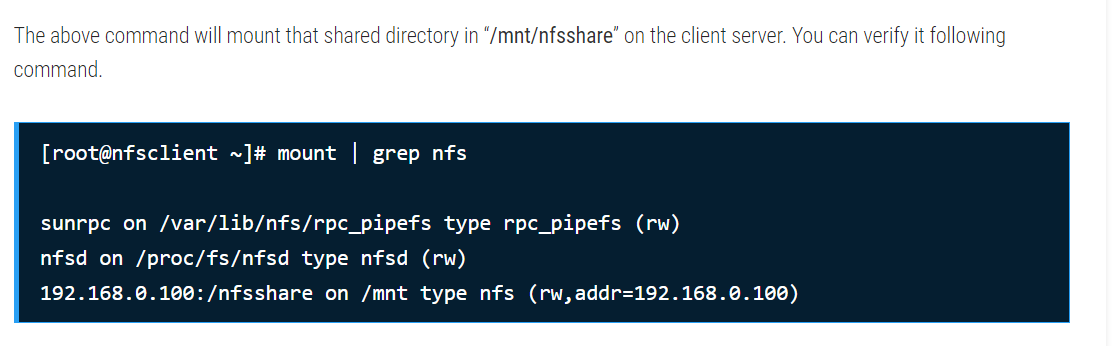
I am missing these lines

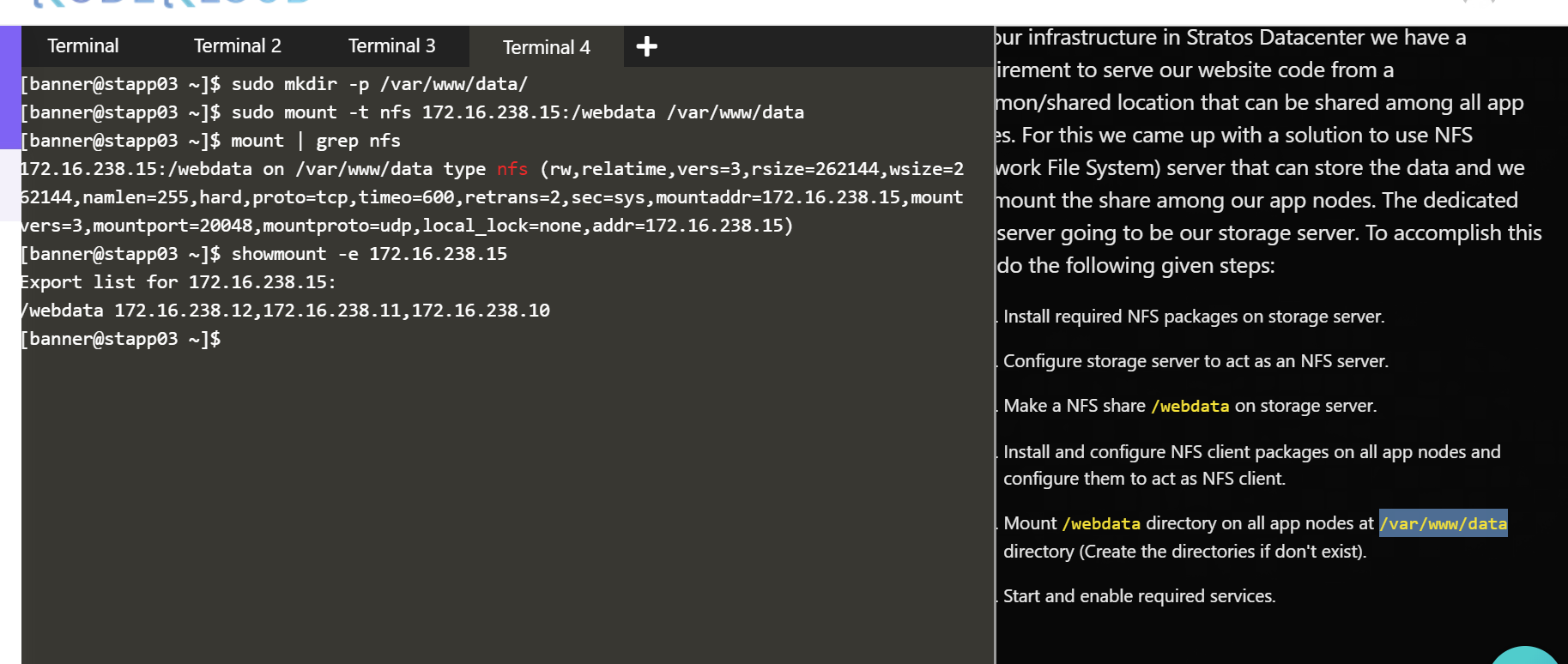
please advise, let me know what I have to check, hitting a deadline in 2 hours.
hi @JDev
thanks for the hints and steps, I was able to complete the task successfully.
I appreciate your help.
thanks
Swaroop
please give me best solution…