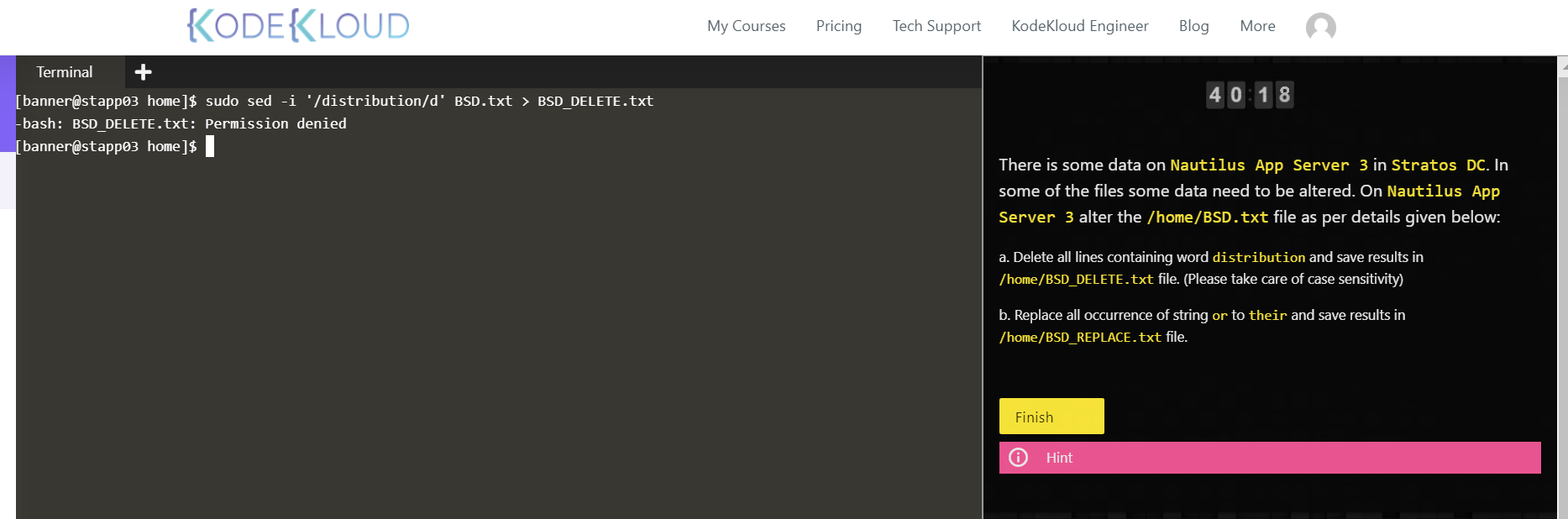
I got this result :Make sure to replace all the occurences of or to their in /home/BSD_REPLACE.txt on stapp03. But I think i did’t right.
Please advise
Hi San,
I get permission denied while running same commands.
Please check and comment.
Thanks,
Swaroop
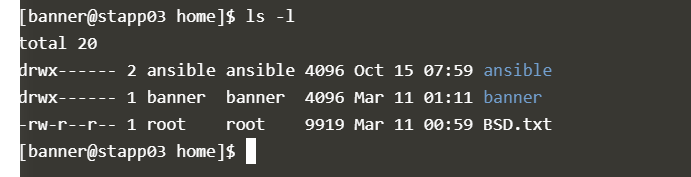
You’re looking at the files in the directory - not the actual directory’s permissions…
Try “ls -ld .”
You should see that you don’t have write permissions to that directory as user “banner”.

@swaroopcs88, correct - that should, hopefully, tell you what you need. I’ve been dropping hints, as opposed to actual solutions, since I don’t recall the exact forum policy with respect to that. However, I’d imagine that KodeKloud doesn’t want us posting test solutions in the forums.
Given the tests that you’ve already completed to reach this exercise, you should have already written or edited files that are only writeable by root…
1 Like
Thank you! I understand your points. Sure, I will complete the task with the hints given here and in the question.
Thanks,
Swaroop
You’re quite welcome, I’m happy to help!
Peter
Hi @peterwhite @Darshan1893 @chawki
Thank you for your feedback and reporting these issues. We have modified this task a little and marked it as Pending for you guys. Please give it an another try.
@SuAdmin Can you please share your email ID.
1 Like
Thanks @Inderpreet. The new task description is much better (changing “to” to “with”, in "all occurrences of ‘and’ to ‘for’, would be a slight improvement) but it looks like the task validation logic is incorrect…
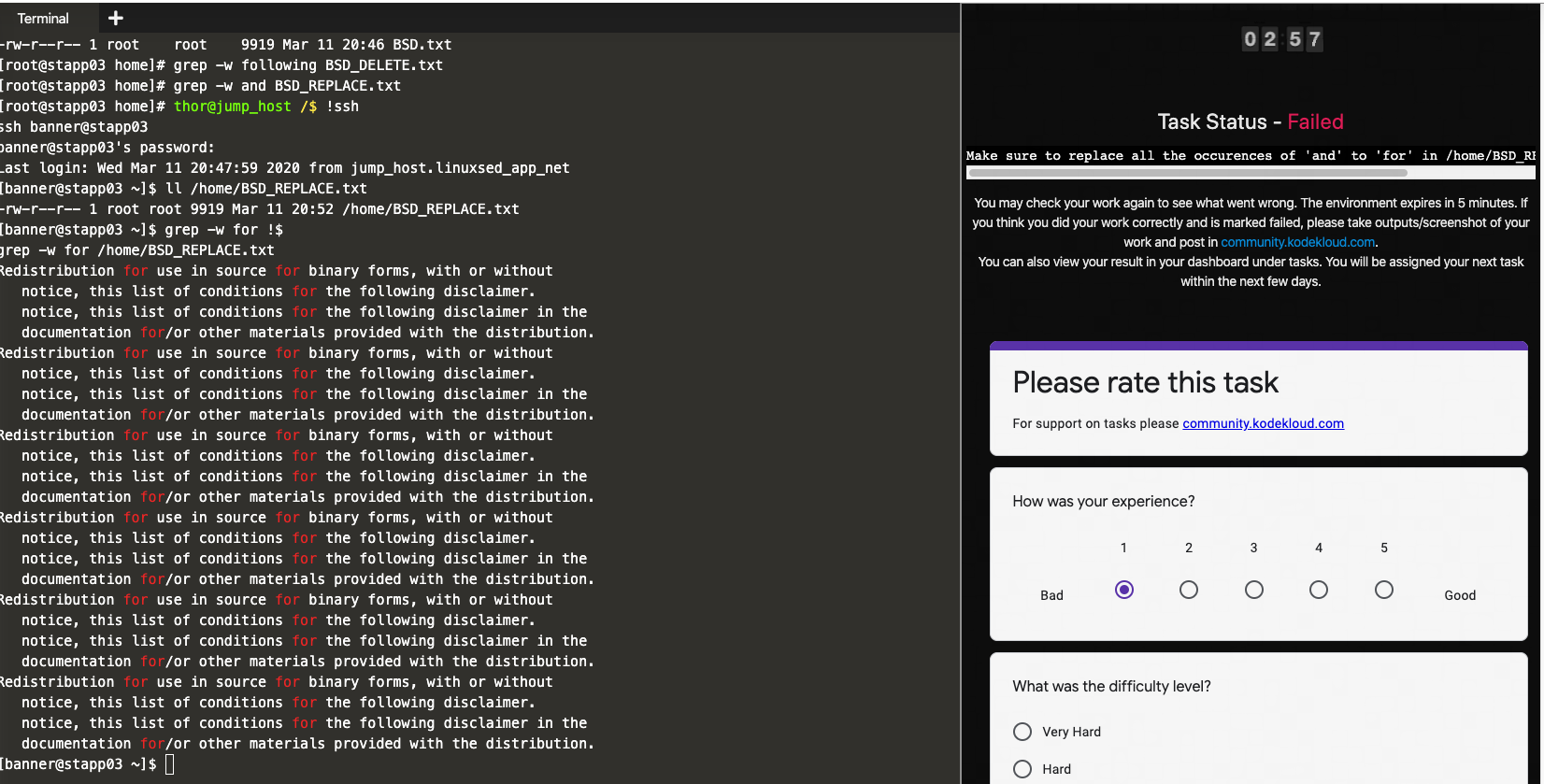
Please let me know if I misinterpreted the new instructions in any way…
Thanks!
Peter
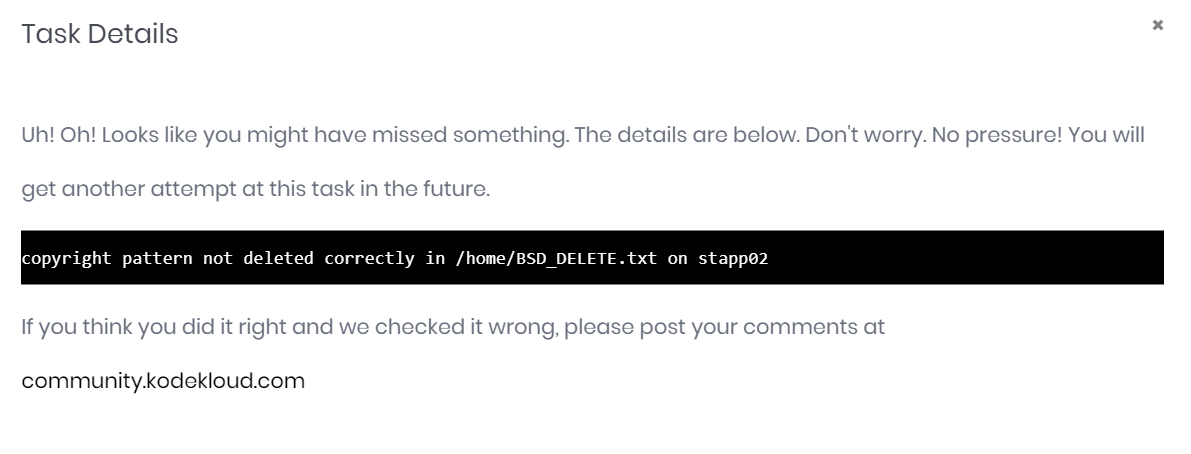
sudo sed ‘/ copyright /d’` /home/BSD.txt > /home/BSD_DELETE.txt
not sure, if the space before and after copyright caused the task to get failed.
@Inderpreet @vijin.palazhi @rahulsoni @peterwhite
Please check and comment.
@peterwhite Thanks for your valuable inputs, I got to know, I was supposed to log in as a root user. Then try to update the file, that’s correct?
I should have validated my results against the requirements of the question.
Which I din’t do in this question, feeling bad for me. thanks
Swaroop
Hi @Inderpreet, I think I did everything correctly and still it got failed. Request you to review my task once and let me know the details.
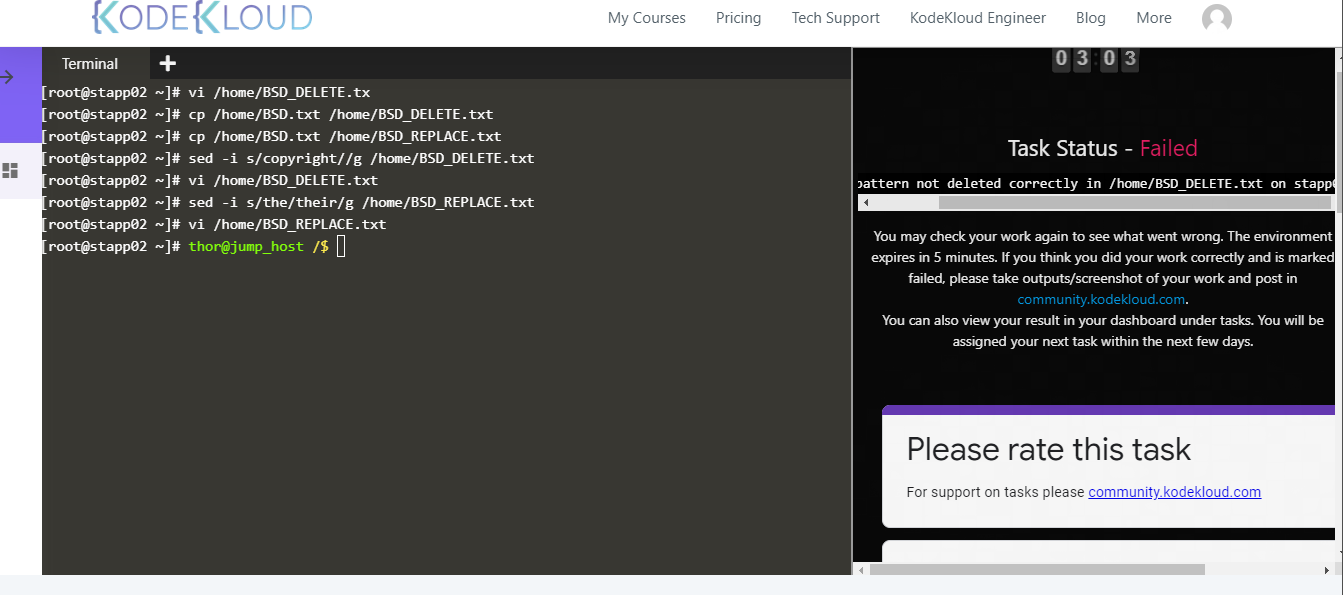
You’re quite welcome, Swaroop, that is correct.
Please note that you were supposed to delete the entire line containing the word copyright but you only deleted the word itself, hence your answer was marked as failed.
Please notice the spaces before and after copyright (sed ‘/ copyright /d’) in your command that made it not to match the pattern hence changes were not made correctly.
1 Like
Hi @Inderpreet. No worries, I’m happy to help improve the platform. Thanks for taking care of this.
2 Likes