hi @bladimirh, sorry for inconvenience this is marked success for you
1 Like
Hi @rahul456 @Inderpreet @kodekloud-support3
My task Print Environment Variables failed with the below error.
Task Status - Failed
command ‘echo’ is not used
Please check the below output as the kubectl logs shows the correct output using echo.
thor@jump_host ~$ kubectl get pods
NAME                    READY   STATUS      RESTARTS   AGE
print-envars-greeting   0/1     Completed   0          25s

thor@jump_host ~$ kubectl logs -f print-envars-greeting
Welcome to Stratos Datacenter
Manifest file also has echo command and related arguments configured as requested in task.
command: ["/bin/echo"]
args: ["$(GREETING) $(COMPANY) $(GROUP)"]
Please check and update. Thank you!
hi @kleansoul, was this task assigned to you today or its old one? If its old one did you already have today’s task in your bucket ?
Print Environment Variables Aug 18, 2020 3:00:29 PM Aug 26, 2020 3:00:29 PM
This is a task assigned to me 1hr ago which I completed immediately but failed. The validation seems to be incorrect, therefore I requested you to recheck.
After providing all the evidence of the task, I was hoping you would have marked success.
Anyways I again attempted with the same solution and now its successful. Thank you for fixing the issue. 
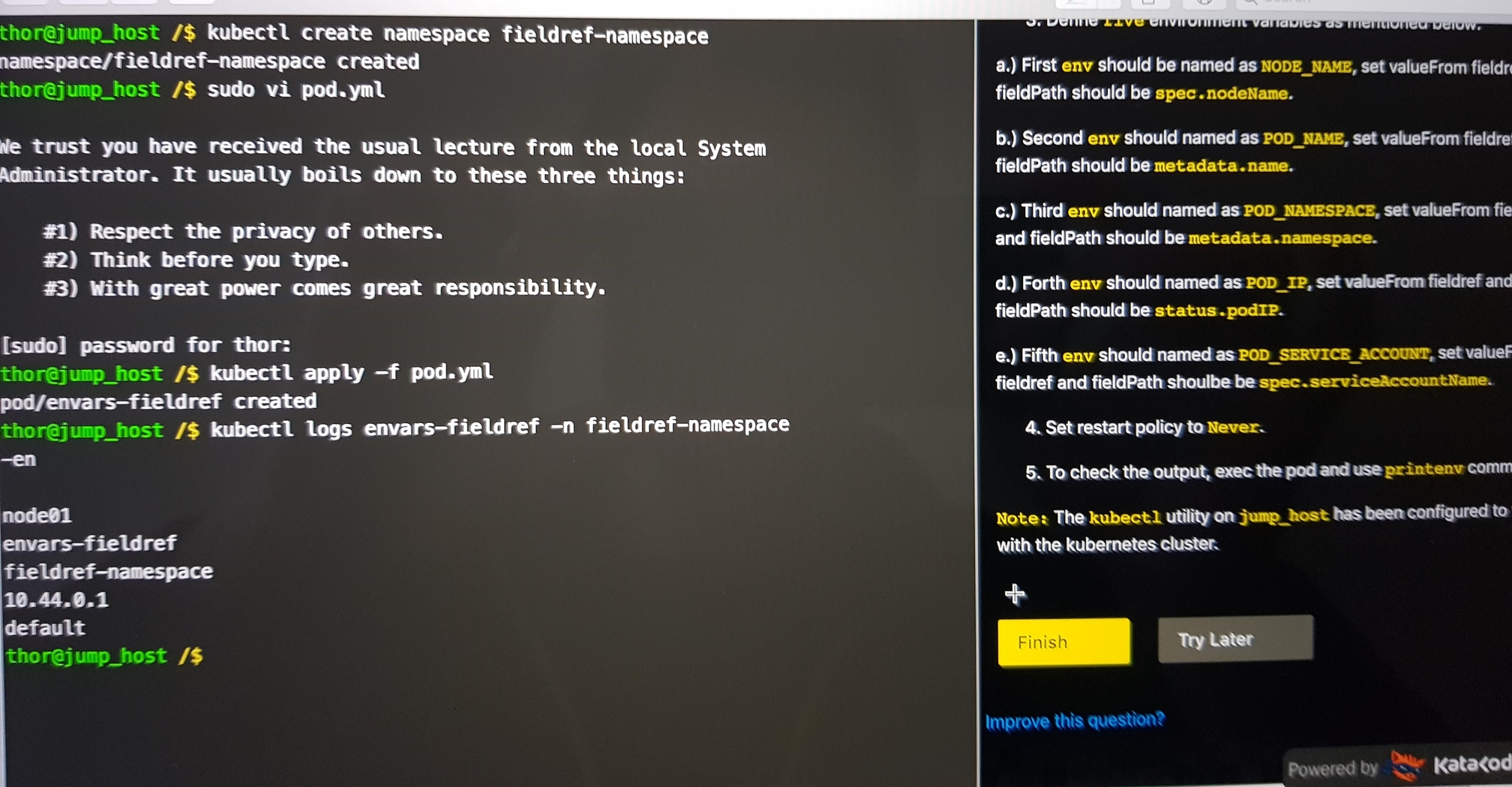
@rahul456 @mmumshad , HI I feel there are couple of issues with below line:
echo -en ‘/n’
this is how its getting printed:
kubectl logs envars-fieldref -n fieldref-namespace
-en /n
node01
envars-fieldref
fieldref-namespace
10.44.0.1
default
As you can see, getting “-en /n” string in the output
If I just keep echo ‘\n’; in the args, we get correct new line character in the output:
thor@jump_host ~$ kubectl logs envars-fieldref -n fieldref-namespace
node01
envars-fieldref
fieldref-namespace
10.44.0.1
default
node01
envars-fieldref
fieldref-namespace
10.44.0.1
default
@rahul456 actually I think I know the problem I think the question asked me about redis image if I am not wrong. unfortunately haven’t captured screen the question and the pod template from what I submitted. would still appreciate if you can check and verify? thank you heaps!
Nope… It worked. Thanks.
Can anyone please check below task. It was completed but still show failed.
Environment Variables in Kubernetes
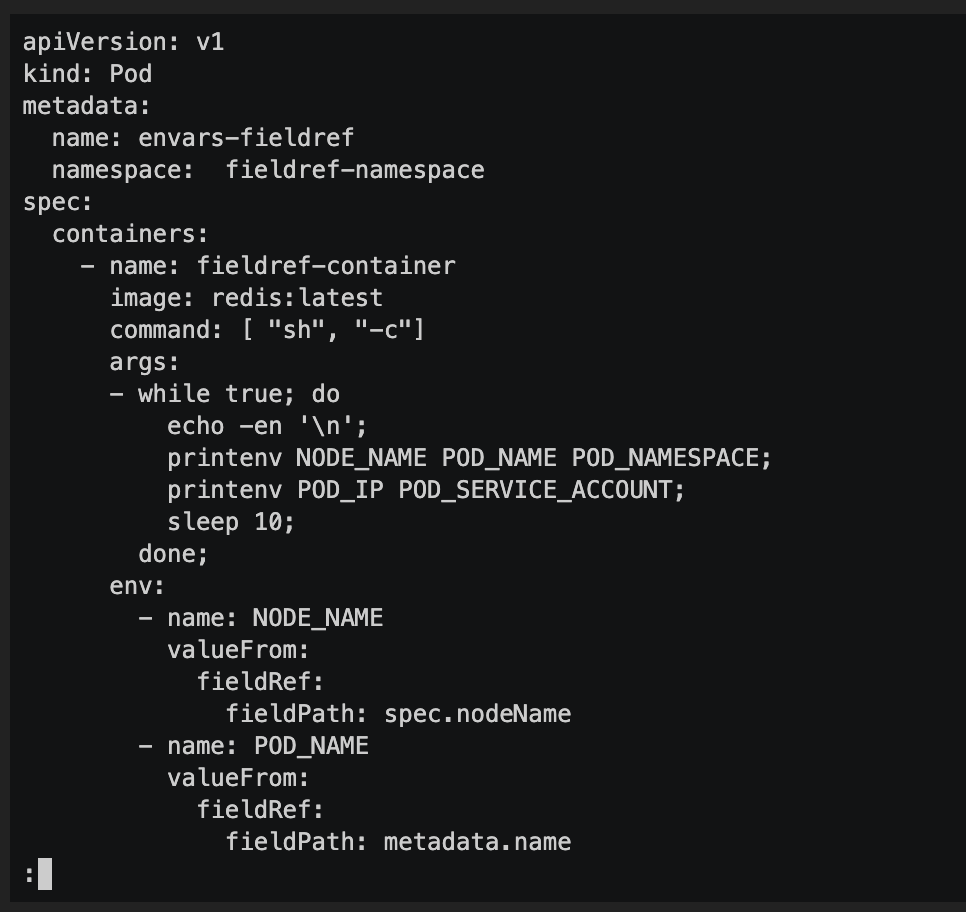
When i tried first time it show image as redis. So I tried with same image. Kindly let me know whether i can get one more chance.
Hi @rahul456 @Inderpreet @kodekloud-support3
my task was print Print Environment Variables
before pressing finish button i have to know where its went wrong
my pod template is
apiVersion: v1
kind: Pod
metadata:
name: print-envars-greeting
spec:
containers:
- name: print-env-container
image: bash
env:- name: GREETING
value: “Welcome to” - name: COMPANY
value: “Dev0ps” - name: GROUP
value: “Industries”
command: [“echo”]
args: [“$(GREETING) $(COMPANY) $(GROUP)”]
- name: GREETING
after creating pod , i am getting pod status as CrashLoopBackOff , where i had done wrong in pd template, please check my pod template and tell me the issue where i had done wrong before pressing finish button, i am waiting for replay